
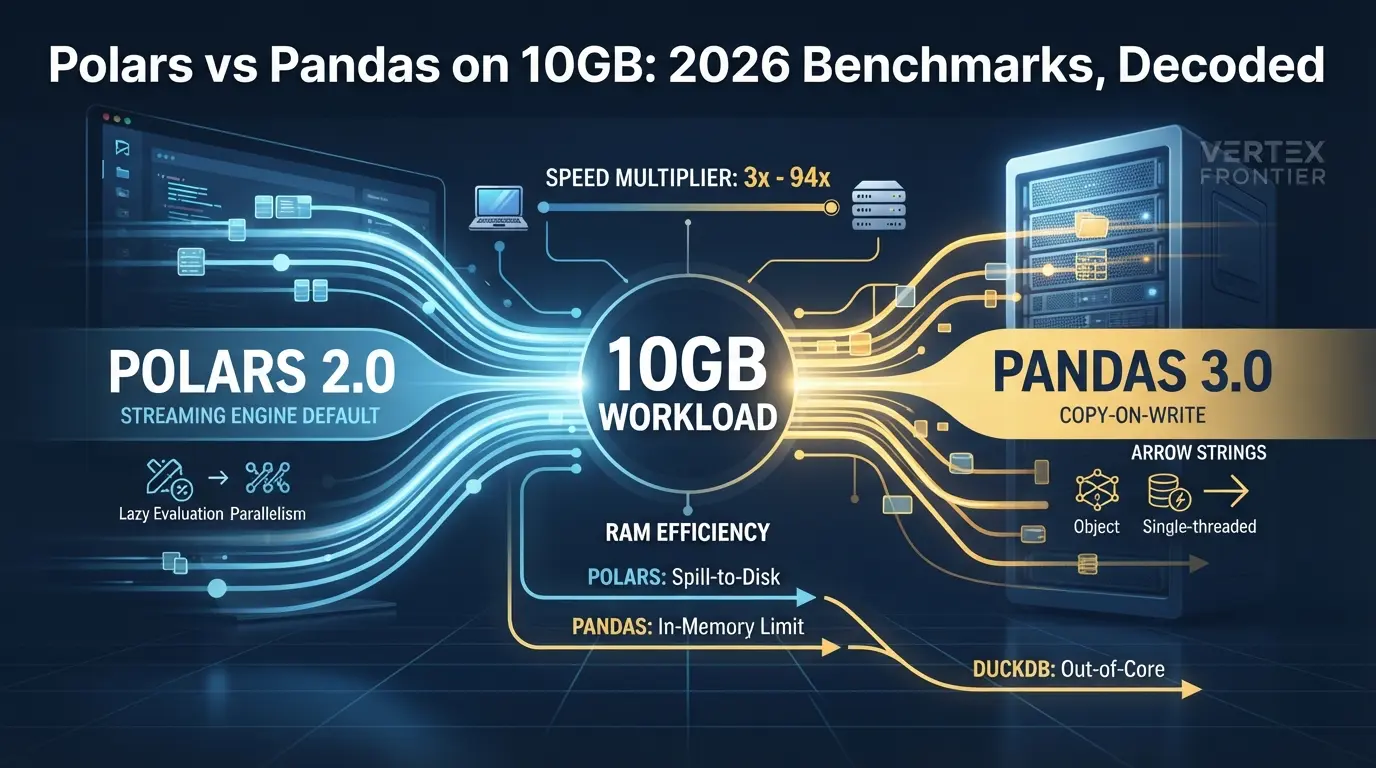

Polars is faster than pandas on most heavy workloads in 2026. That part is settled. The part people argue about is “by how much”, and the honest answer is that published multipliers run from about 3x to 94x, depending on the machine, the file format, the library versions and the query.
Both numbers are real. They just describe different worlds.
2026 also made old numbers harder to trust. pandas 3.0 shipped in January with Copy-on-Write as the only mode and a new string type. Polars 2.0 shipped in October and made its streaming engine the default. Any benchmark you read from 2024 or 2025 measured a pandas and a Polars that no longer behave the way they did. We call this the double reset, and it is the idea this article is built around.
There is a third problem. We found only one published comparison of pandas, Polars and DuckDB on a roughly 10GB file on laptop-class hardware, and it predates both resets (codecentric’s M1 Max test from December 2025, covered below). We found none with current versions and a full protocol. So this article does not pretend to be that benchmark. We did not run our own tests. Instead, we pulled together the best published runs, checked them against primary sources, and wrote down the method you should demand before believing any “Nx faster” claim, including the ones here.
If you want the wider map of the Python data-library landscape first, our field guide to choosing a Python data library covers pandas, Polars, DuckDB and Dask side by side. This piece goes deeper on one question: what actually happens when the data gets big.
Key takeaways
Click any topic to expand or collapseExpect roughly 3x to 6x on small machines, not 100x
Uvik measured 5.7x on group-bys with 2 vCPUs. Polars’ own benchmark shows 94x on a 96-vCPU server.
The cheapest pandas 3.0 upgrade is pip install pyarrow
The faster string type only uses Arrow if pyarrow is installed.
Polars 2.0 spills sorts and window functions to disk
It spills sorts and window functions to disk, but not joins or group-bys yet. That detail decides the “larger than RAM on a laptop” question.
DuckDB is the third contender
It was fastest on 6 of 10 group-by queries in the one rigorous third-party 2026 run.
Fix the format before the engine
Parquet beat CSV in all three engines tested. pandas’ RAM need ranged from about 1.1x a CSV’s size (codecentric’s 9-column ecommerce file) to 4.9x (Uvik’s synthetic data), so measure your own schema.
Stay on pandas when data fits in memory
Stay on pandas when the data fits in memory and your stack leans on scikit-learn, matplotlib or statsmodels.
The 2026 landscape: what pandas 3.0 and Polars 2.0 actually changed
Most “Polars vs pandas” posts compare two libraries as if they were frozen. They aren’t. Here is the sequence that matters.
collect() now defaults to the streaming engine.
What pandas 3.0 changed
Copy-on-Write (CoW) is a lazy-copy mechanism. Objects derived from a DataFrame share memory with it until someone modifies one of them, and only then does pandas make a copy. In pandas 3.0 it is the default and only mode. Any indexing result behaves as if it were a copy, so changing a subset never touches the original.
Two consequences show up in real code:
- Chained assignment is dead. Something like
df[df["bar"] > 5]["foo"] = 1never works. Use a single .loccall instead. SettingWithCopyWarningis gone, and defensive.copy()calls are mostly unnecessary.
The second big change is the new str dtype. Historically pandas stored text in NumPy object columns, which the release notes call inefficient for both speed and memory. From 3.0, string columns use a dedicated type that is backed by PyArrow when it is installed and falls back to NumPy objects when it is not. The same notes say pyarrow is recommended but not a required dependency.
Here is the contrarian part. The biggest pandas speed-up of 2026 is probably not a library switch. It is one pip install pyarrow. Plenty of upgrade guides bury that conditional, and a team that upgrades without it gets the new semantics and none of the Arrow string benefits.
Smaller changes matter at the edges. Datetimes now default to microsecond resolution, which fixes out-of-bounds errors for very old and very distant dates. And pd.col() adds early expression-style column references, which many readers see as pandas borrowing an idea from Polars.
What pandas 3.0 did not change
pandas is still single-threaded, still eager, and still has no query optimizer. CoW and Arrow strings reduce copies and speed up text handling. They do not add parallelism.
The pandas user guide says this plainly. It describes pandas as built for in-memory analytics and warns that even data taking a sizable fraction of RAM becomes unwieldy, because some operations make intermediate copies. It then has a section titled “Use Other Libraries”, which points to tools that scale through parallel runtimes or distributed memory. Few projects print their own exit sign.
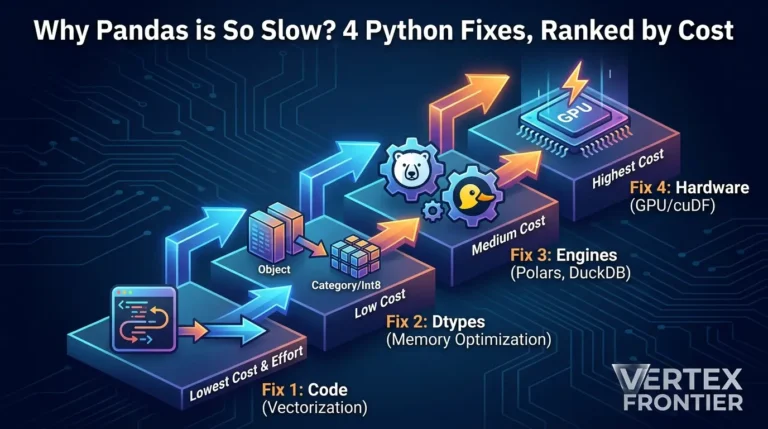
If you are staying on pandas for now, start with the basics in the same guide. Loading only the columns you need cut memory to about a tenth in its example, and the guide goes on to recommend more efficient dtypes and chunking. Our guide to the four pandas performance fixes walks through profiling first and fixing second.
| Area | pandas 3.0 status | Speed impact |
|---|---|---|
| Copy-on-Write | Default and only mode | Fewer copies, lower average memory |
| String dtype | New str type, Arrow-backed only if pyarrow is installed | Claimed large string gains, not measured at scale |
| Parallelism | Unchanged: single-threaded | None |
| Query optimizer | None: eager execution | None |
| Larger than RAM | Still in-memory by design | None |
What Polars 2.0 changed
Polars 2.0 is mostly a release about defaults. Its creator, Ritchie Vink, said the team hoped it would be a boring experience for users. Calling collect() on a lazy query now runs on the streaming engine, which pushes chunks of data through every step so the steps overlap, instead of finishing each step on the whole dataset before starting the next. Eager DataFrame operations are not affected, and sink_* methods were already streaming. All of this is in the official release post.
Engine mode matters a great deal, and that is the case for the new default. In the Polars team’s May 2025 PDS-H run, Polars 1.30.0’s streaming engine finished the roughly 10GB suite in 3.89 seconds against 9.68 seconds for its own in-memory engine. At roughly 100GB the gap widened to 23.94 seconds against 152.27. The team attributes the in-memory slowdown at scale mostly to CPU-cache misses on a memory-bound workload. It is a vendor-run result, so read it as the vendor’s reasoning for the change, not as proof.
Two other changes matter for this article. Spilling to disk is now on by default, and row order is no longer guaranteed for some operations. We cover both in the memory section and the migration section.
So how much of Polars’ old advantage disappeared?
Less than the pandas 3.0 headlines suggest, and nobody can say exactly how much.
pandas 3.0 closed some gaps: fewer hidden copies, a better string type for people who install pyarrow, and a cleaner mental model. It did not touch the architectural reasons Polars wins at scale, which are multithreading, lazy query optimization and streaming. Meanwhile, we found no published measurement that isolates pandas 3.0’s CoW and Arrow-string gains at 10GB scale. Claims of “5x to 10x faster string operations” circulate in explainers, but they are claims. Any article saying pandas 3.0 “closes the gap” is guessing.
One more detail that gets lost: Polars’ own benchmark already gave pandas its best settings, with PyArrow dtypes and Copy-on-Write turned on. But it ran pandas 2.2.3, not 3.0.
Both libraries reset their semantics in 2026. Every old multiplier is now folklore, and the new ones are still being measured.
How to read a 10GB benchmark: the methodology most comparisons skip
Why do so many published benchmarks contradict each other? Because most of them are not measuring the same thing, and they don’t tell you which thing they measured.
“10GB” is a slippery phrase
It can mean a 10GB CSV file, 10GB of data once loaded into memory, or a benchmark scale factor that is only roughlythat size. These are different workloads.
Two examples from the published record show how wide the gap is:
- The Polars team’s PDS-H benchmark at scale factor 10 is about 10GB, run on a 96-vCPU, 192GB server.
- The Uvik benchmark’s 10-million-row tests used a 569 MB CSV file, and its largest run covered roughly 3GB of effective data. That is rigorous work, but it is not 10GB.
And file size is not memory size, and the ratio depends on your columns. Uvik found pandas needed about 3.5x to 4.9x the CSV size in RAM on its synthetic db-benchmark data. On a 9-column ecommerce CSV of about 9 to 10GB, codecentric measured roughly 10.5GB of extra memory after read_csv, or about 1.1x to 1.2x, with a pre-3.0 pandas. So a 10GB CSV can need anywhere from about 11GB to 49GB, and only a test on your own file tells you which end you are near.

Twelve ways published comparisons go wrong
We reviewed 24 pages ranking for this topic. The same failures repeat. Here they are, in rough order of how often they distort results:
- Toy datasets. Timings measured in thousandths of a second get scaled into confident percentage claims.
- Illustrative numbers formatted like results. Simulators and sample tables that look like measurements but aren’t.
- Eager-only Polars tests. Polars’ advantage lives in lazy and streaming execution. Testing it eagerly tests the wrong thing.
- Single runs with no warm-up. One timing tells you about your disk cache as much as your engine.
- CSV against Parquet across engines. Uvik is the only third-party test we found that reports CSV and Parquet load times separately for each engine.
- Different hardware in one table. Numbers from separate machines, merged into one clean-looking chart.
- Missing versions. Fatal after both major resets. Some well-known tests state a pandas version but no Polars version, as Shuttle’s ETL comparison does.
- Wrong memory measurement. More on this below.
- Vendor benchmarks without a disclosure flag. Vendors can publish good benchmarks. The Polars team does publish its rules. But the reader should know who ran the test.
- No correctness check. Two engines can return different answers, especially after Polars 2.0’s row-order changes.
- Stale APIs shown as current. Some pages still teach streaming as opt-in or use pre-2.0 syntax.
- Multipliers with no base. “5x to 30x” means nothing without the base time and the query.
Good models exist. The db-benchmark, created by H2O.ai and now maintained by DuckDB Labs (a DuckDB vendor, so read it with that in mind), is the long-running open reference, with published per-task results. Uvik published medians of three, correctness checks and a downloadable kit. Polars’ PDS-H publishes fairness rules, including no cherry-picking one engine mode per query and no manual join reordering.
The same fairness logic applies outside DataFrames. It is the reason we hold our ClickHouse deduplication benchmark to the same standard: say what you ran, on what, and how many times.
You may have seen a 100M-row group-by quoted at roughly 107 seconds (or an out-of-memory crash) for pandas, against about 11 seconds for Polars and 9 seconds for DuckDB. We could not trace those exact figures to any published protocol. The closest we found is a decision-guide table that lists “100s+ or OOM” for pandas and “under 30s” for the other two at 100M rows. It names no hardware, no versions and no sources. The shape is plausible. The numbers are unverified, so we don’t build on them.
How to test any “Nx faster” claim in eight steps
This is a short checklist you can run on any benchmark before believing it. It also works as the spec for your own test.
- Write down the versions. pandas, Polars, DuckDB and Python. Post-reset means pandas 3.0 or later and Polars 2.0 or later.
- Write down the hardware. CPU cores, RAM, disk type and any memory cap.
- Describe the data twice. Rows and columns, plus on-disk size and format.
- Separate formats. Time CSV and Parquet as different experiments.
- Run each test several times and report the median. Say whether runs were cold or warm.
- Use each tool the way experts do. Polars lazy, pandas with pyarrow installed, DuckDB reading files directly.
- Check that all engines return the same answer. Compare row counts and rounded totals before comparing time.
- Report the base. Give the seconds, not only the ratio, and say who ran it.
Score a benchmark you are reading, or your own plan, with this interactive checklist.
Here is a small harness that bakes in steps 5 and 7. Each engine’s query lives in its own script, so every run starts in a fresh process.

Python code (illustrative harness, not a published result):
import json, statistics, subprocess, sys, time
ENGINES = {"pandas": "q_pandas.py", "polars": "q_polars.py", "duckdb": "q_duckdb.py"} RUNS = 3
def run_once(script): start = time.perf_counter() out = subprocess.run([sys.executable, script], check=True, capture_output=True, text=True).stdout elapsed = time.perf_counter() - start # each script prints a final JSON line, e.g. {"rows": 1000, "total": 123.46} # round floats inside the scripts so engines can agree exactly check = json.loads(out.strip().splitlines()[-1]) return elapsed, check
results, checks = {}, {} for name, script in ENGINES.items(): runs = [run_once(script) for _ in range(RUNS)] results[name] = statistics.median(t for t, _ in runs) checks[name] = runs[-1][1] print(name, "median:", round(results[name], 2), "s", [round(t, 2) for t, _ in runs])
correctness gate: no timing counts until every engine returns the same answer
assert len({json.dumps(c, sort_keys=True) for c in checks.values()}) == 1, checks
The harness needs one script per engine. Here are three minimal ones for the same group-by on a Parquet file. Each prints a final JSON line so the correctness gate can compare answers.
Python code (three minimal query scripts, illustrative):
# q_pandas.py import json, pandas as pd df = pd.read_parquet("events.parquet", columns=["customer_id", "amount"]) out = df.groupby("customer_id", as_index=False)["amount"].sum() print(json.dumps({"rows": len(out), "total": int(out["amount"].sum())}))
q_polars.py
import json, polars as pl out = (pl.scan_parquet("events.parquet") .group_by("customer_id") .agg(pl.col("amount").sum()) .collect()) print(json.dumps({"rows": out.height, "total": int(out["amount"].sum())}))
q_duckdb.py
import json, duckdb rows, total = duckdb.sql(""" SELECT count(*), sum(amount) FROM ( SELECT customer_id, sum(amount) AS amount FROM 'events.parquet' GROUP BY customer_id) """).fetchone() print(json.dumps({"rows": rows, "total": int(total)}))
Tip: store amount as integer cents. Float sums can differ in the last
digits depending on summation order, which would fail the equality gate.
Tip: Measure memory with your operating system’s process tools, such as /usr/bin/time -v on Linux, and record peak memory per process. Then read the memory section below before trusting any single number.
A benchmark without versions, hardware, medians and a format label is a story, not a measurement.
Reference numbers to beat (and why they disagree)
Every number below is attributed, with hardware and versions. None of it comes from our own runs.
Uvik’s 2026 run: 2 vCPUs, current versions, correctness-checked
The Uvik Software DataFrame Benchmark is the most rigorous third-party comparison of the new versions that we found. It used pandas 3.0.6, Polars 2.0.0 and DuckDB 1.5.6 on a 2 vCPU, 8GB machine, with medians of three runs (the 50M-row test used one run) and cross-engine correctness checks. It also ships a downloadable kit with MIT-licensed code. Uvik is an engineering services company, not a vendor of any of the three engines.
| Test | pandas | Polars | DuckDB |
|---|---|---|---|
| 10 group-by queries, 10M rows (sum of medians) | 16.39 s | 2.86 s (5.7x faster) | 3.91 s (4.2x faster) |
| Fastest engine per group-by query | 0 of 10 | 4 of 10 | 6 of 10 |
| 5 join queries, 10M rows | 11.85 s | 3.16 s (3.75x faster) | 10.46 s |
| q9, correlation per group (pandas runs a Python function per group), 10M rows | 6.46 s | 0.16 s (40x) | 0.14 s (47x) |
| 50M rows under a 5.84 GiB memory cap | Out of memory while loading (0/10) | 9 of 10 finished (out of memory on the six-key, 50M-group query) | 10 of 10 finished |
| Peak memory, group-by, 10M rows | 1,910 MiB | 1,754 MiB | 1,852 MiB |
| Peak memory, joins, 10M rows | 4,255 MiB | 3,671 MiB | 4,301 MiB |
Some details deserve attention. The headline gap is 5.7x for group-bys, but DuckDB won more individual queries than Polars did. Query by query, Polars won the aggregations with many groups (q3, q5, q7 and q10, with 100,000 to 10 million groups). DuckDB won the few-group queries (q1, q2 and q4) and the statistical and top-N ones (q6, q8 and q9).
The apply figure needs care. Uvik kept pandas’ apply for q9 because the db-benchmark script uses it, and says a vectorized pandas version can be faster. So 6.46 seconds measures a Python-function-per-group implementation, not pandas’ ceiling. At 50M rows under a memory cap, the question stopped being “who is fastest” and became “who finishes”, and Polars’ single failure was the six-key group-by that creates 50 million groups. Uvik’s write-up also warns against making a technology decision from one published benchmark instead of reproducing it on your own workload. Good advice.
Now the memory rows. Uvik states that pandas needed 3.5 times the CSV size during group-bys. Dividing the join peaks by the 1.04 GB of join CSVs gives our own rough ratios: about 4.3x for pandas (4,255 MiB), about 3.7x for Polars (3,671 MiB) and about 4.3x for DuckDB (4,301 MiB). That is arithmetic on a single published run, not a Uvik claim. It suggests that at this scale the three engines’ peaks sit close together, and the large differences appear when a memory cap forces a choice.
Polars’ own PDS-H run: about 10GB on a 96-vCPU server
The Polars PDS-H benchmark is vendor-run, derived from TPC-H, and published with open code and fairness rules. The post says one unit of scale factor is roughly 1GB of CSV data. At scale factor 10 (about 10GB) on an AWS c7a.24xlarge with 96 vCPUs and 192GB of RAM, the total times were:
| Engine and version | Total time | Versus Polars streaming |
|---|---|---|
| Polars 1.30.0 (streaming) | 3.89 s | 1.0x |
| DuckDB 1.3.0 | 5.87 s | 1.5x slower |
| Polars 1.30.0 (in-memory) | 9.68 s | 2.5x slower |
| Dask 2025.5.1 | 46.02 s | 11.8x slower |
| PySpark 4.0.0 | 120.11 s | 30.9x slower |
| pandas 2.2.3 | 365.71 s | 94x slower |
Three caveats. First, pandas here is version 2.2.3, from before the 3.0 reset. Second, pandas ran only at scale factor 10. The team says its single-threaded execution and lack of a query optimizer led to a gap of two orders of magnitude and to out-of-memory failures at higher scale factors. Third, it is a vendor benchmark. That does not make it wrong, since the rules and code are public, but it does mean you should read it next to independent runs.
The same post holds a result that rarely gets quoted. At scale factor 100 (about 100GB), DuckDB 1.3.0 finished first at 19.65 seconds, Polars’ streaming engine took 23.94 seconds, and Polars’ in-memory engine took 152.27 seconds. The winner changed with scale, even in the vendor’s own test.
The closest 10GB laptop data point: codecentric’s 9GB CSV test
One independent test comes close to the question this article started with. In December 2025, codecentric ran pandas, Polars and DuckDB on a real-world ecommerce CSV of 9GB (the article also calls it about 10GB), with 67 million rows and 9 columns, on a 2021 MacBook Pro with an M1 Max and 32GB of RAM. Each operation ran ten times, in cold and hot modes. The article details a filter-and-count query.
| Engine and call | Extra memory in the profiler | Note |
|---|---|---|
pandas: pd.read_csv, then filter | 10,458 MiB on load, plus 894 MiB for the filter | Roughly the size of the file itself |
Polars: lazy scan_csv, collect(streaming=True) | 1,539 MiB | The article quotes other Polars figures elsewhere, so treat this as approximate |
| DuckDB: SQL directly over the CSV | 319 MiB | Described as about 300 MB for the whole process |
Read it with its limits in mind. Versions are not stated (the text refers to pandas 2.x, and the Polars call is the pre-2.0 collect(streaming=True) form). It tests one operation, and memory is a before-and-after difference around a function call, not a true peak. macOS caches were not flushed. Still, it is the only run we found that puts all three engines on a roughly 10GB file on a laptop, and its main message survives the caveats: reading the whole file into pandas costs about as much RAM as the file, while the lazy and SQL paths need a fraction of that.
Why 3.3x, 5.7x and 94x can all be true
Here is the exhibit most comparison posts never build. Same libraries, wildly different multipliers.
| Source | Multiplier | Hardware | Data and workload | Main caveat |
|---|---|---|---|---|
| Shuttle | About 3.3x | 8-core i7 (16 threads) / 32 GB, stated in a setup comment | NYC taxi, 12.7M rows, 2.1 GB CSV, end-to-end ETL pipeline | Python pandas 2.1.0 against a Rust Polars pipeline (version not stated); Polars was slower on the aggregation step; published by a Rust deployment platform |
| Uvik | 5.7x group-by, 3.75x joins | 2 vCPU / 8 GB | 10M rows (569 MB CSV), standard suites | Small server, data well under 10 GB |
| Polars PDS-H | 94x | 96 vCPU / 192 GB | About 10 GB, 22 TPC-H-derived queries | Vendor-run, pandas 2.2.3, big server |
| db-benchmark (summed by Uvik) | DuckDB about 23x, Polars about 7x (group-by) | 128 cores / 256 GB | 0.5 GB data, pandas 2.2.3, August 2026 report | Maintained by DuckDB Labs; ratios are our arithmetic on Uvik’s sums |
Four forces explain most of the spread. This is our reading of the evidence, not a controlled experiment:
- Core count. Polars and DuckDB use many cores. pandas uses one, so more cores generally widen the gap. The scaling is not a straight line, as the vendor’s own 2.0 benchmark shows below.
- Query shape. Multi-step, join-heavy queries reward a query optimizer. Single group-bys reward it less.
- Memory pressure. Once a machine nears its RAM limit, intermediate copies decide who finishes.
- Versions and format. pandas 2.2.3 versus 3.0.6, Polars 1.30 versus 2.0, CSV versus Parquet. All of them move the numbers.
The Polars 2.0 release post adds a newer vendor-run data point. It compares Polars SQL with DuckDB 1.5.6, a DuckDB 2.0 alpha and DataFusion on TPC-H- and TPC-DS-derived data, on a 16-vCPU and a 192-vCPU machine (best of five hot runs per query).
The team reports Polars fastest on all but one benchmark. It also admits a constant overhead at 192 threads that hurts small-data queries, and says that at scale factor 10, going from 16 to 192 vCPUs did not speed up default Polars on TPC-H, while DuckDB 1.5.6 got 1.8x faster. pandas was not part of that test. The lesson for this section: more cores help, but not evenly, and not for every engine.
Case study: the same pandas, two very different verdicts:
- Challenge: Two well-run benchmarks of the same two libraries report 5.7x and 94x.
- Action: Read the protocols side by side. Uvik used 2 vCPUs, 8GB of RAM and current versions. Polars used 96 vCPUs, 192GB and pandas 2.2.3.
- Outcome: Neither number is wrong. They answer different questions: “what does a small server see?” and “what does a big machine see at about 10GB?”
- Lesson: A multiplier is a property of a setup, not of a library. Before comparing results, compare hardware, versions and workload.
How much to trust each number
Not every benchmark in this article carries the same weight. Here is the evidence class of each one, so you can decide what to lean on.
| Source | Evidence class | Date | Versions |
|---|---|---|---|
| Uvik Software benchmark | Independent finding (services firm, no engine stake), protocol and kit published | Oct 2026 | pandas 3.0.6, Polars 2.0.0, DuckDB 1.5.6 |
| Polars PDS-H | Vendor-run, rules and code published | Run May 2025, posted Jun 1, 2025 | pandas 2.2.3, Polars 1.30.0, DuckDB 1.3.0 |
| Polars 2.0 release benchmark | Vendor-run, repository published | Oct 6, 2026 | DuckDB 1.5.6 and 2.0 alpha; no pandas |
| db-benchmark | Maintained by a DuckDB vendor, open results | Aug 2026 report | pandas 2.2.3, Polars 1.42.1, DuckDB 1.5.4 (per Uvik) |
| codecentric 9GB CSV test | Independent, partial protocol | Dec 2025 | Not stated |
| codecentric Parquet test (to 2TB) | Independent, ten runs per setting | Jan 2026, updated Feb 2026 | Not stated |
| Shuttle ETL comparison | Vendor-adjacent, Python vs Rust code | Sep 2025 | pandas 2.1.0 only |
| Coiled TPC-H series | Vendor-run (Dask vendor), disclosed bias | 2023 talk | Pre-reset |
| Ratios marked “our arithmetic” | Editorial inference from the rows above | Oct 2026 | Same as their source |
What changes on your machine
Your result will depend on a few levers you control:
- Cores. More cores help Polars and DuckDB. They do nothing for pandas.
- RAM. The less you have, the sooner pandas stops finishing.
- Format. Uvik found Parquet faster than CSV in all three engines, with Polars loading 10M rows in 0.93 seconds from Parquet versus 2.39 seconds from CSV (2.6x).
- pandas settings. Install pyarrow, and consider
dtype_backend="pyarrow"before concluding you need a new library. - Polars settings. Test lazy, and decide whether row order matters to you (more on that in the migration section).
- DuckDB settings. Set
memory_limitandtemp_directorydeliberately.
On small machines expect roughly 3x to 6x, not 100x. The 94x lives on a 96-vCPU server.
Memory is the real story: streaming, spilling and the laptop question
Speed gets the headlines. Memory decides whether your job finishes at all.
Picture the real question behind most searches for “pandas out of memory”: I have a 10GB file and a 16GB laptop. What happens? The honest answer depends on which engine you use, which operation you run, and which of them can spill to disk.
What is out-of-core processing?
Out-of-core processing means running a query on data that is larger than RAM by spilling intermediate results to disk and carrying on. An engine without it simply fails with an out-of-memory error. An engine with it spills the excess to disk and keeps going, trading extra I/O for the ability to finish.
pandas has none of this. It is in-memory by design.
Polars 2.0: streaming by default, spilling with a gap
Polars 2.0 turned on spill-to-disk by default. Per the release post, spilling starts at roughly 80% of RAM, with a default disk budget of 64GB. Operations that can spill today include sorts, window functions and many expressions.
Joins and group-bys are the exception. The Polars team says plainly that “In the coming time we will enable out-of-core for joins and group-by’s as well”. Uvik’s write-up reaches the same conclusion about the 2.0.0 release.
Read that twice if you are planning a laptop pipeline. A sort-heavy job on data bigger than RAM can now finish. A join-heavy or group-by-heavy job may still run out of memory, and the exact boundary on a laptop is, in our view, unsettled until spill support for those operations lands.
One more caution. The streaming engine’s own tracking issue says some operations do not have a native streaming implementation yet and transparently fall back to the in-memory engine. A query that runs on the “streaming” engine may therefore still run parts of itself in memory.
DuckDB: an out-of-core engine by design
DuckDB’s documentation calls it a “state of the art out-of-core query engine” that can spill to disk. The same page is candid about limits: out-of-memory errors can still happen with multiple blocking operators, certain aggregate functions, PIVOT, or very little RAM relative to the data.
Two practical details from the DuckDB docs. The default memory limit is 80% of physical RAM. And, counterintuitively, the performance guide says setting it lower can prevent crashes, because some operations bypass the buffer manager and can reserve more memory than the limit allows. If DuckDB is killed by the operating system, the guide suggests trying 50 to 60% of system memory.

How much RAM will pandas need?
Start with the file, but expect the multiplier to move with your schema. Uvik measured pandas needing 3.5x to 4.9x the size of its synthetic CSV in memory while loading (a 569 MB CSV used up to 2.8 GB). codecentric’s 9-column ecommerce CSV needed about 1.1x to 1.2x.
Illustrative only. Multipliers come from two published runs and vary with schema, dtypes and the operation. They do not predict Polars or DuckDB behavior. Load a sample of your own file before trusting any preset.
Try the defaults. With Uvik-style multipliers, a 10GB CSV and 16GB of RAM lands firmly in “does not fit”. Switch to the ecommerce-style preset and the verdict becomes “borderline”. That gap is the point: your columns decide the multiplier, so load a sample of your own file before you trust any preset. When it does not fit, reach for columns=, better dtypes, Parquet, or another engine.
Format matters here too. In codecentric’s Parquet test, splitting the same ~140GB of data into 72 files cut DuckDB’s peak memory by up to about 8x and Polars’ by up to about 4x. The authors conclude that file layout mattered more than engine choice for memory in that scan-heavy test. For the storage side of this story, see why Parquet layout matters as much as engine choice.
Case study: when “streaming” still ran out of memory
The challenge. In November 2025, a user opened Polars issue #25180. The job reorders a folder of TSV files by column values, using a lazy scan and sink with PartitionByKey. The real input was 75GB across about 70,000 files. On a smaller test set, the reporter measured peak memory with memray: 53.6GB for the lazy version against 5.8GB for the non-lazy one. They described the lazy peak as about 25 times what pandas needed.
The action. The reporter wrote three equivalent scripts (pandas, and Polars with and without the lazy API), confirmed they produced the same output, and filed the bug with the numbers. The issue is now marked closed.
The outcome. We did not re-verify the fix details, so we quote no post-fix figures. The documented result is the failure itself: in the reporter’s test, the lazy pipeline used roughly nine times the memory of the eager one.
The lesson. Lazy and streaming do not guarantee low memory. Key counts and output layout matter, and the tracking issue mentioned above explains part of why: operations without a native streaming implementation fall back to the in-memory engine. The report predates Polars 2.0, so test your real query, with your real key counts, on the version you run.
| Tool | Failure mode | Evidence | What to try |
|---|---|---|---|
| pandas 3.0 | Out of memory while loading; chunked group-bys get hard | Uvik 50M rows; pandas scaling guide | Load fewer columns, shrink dtypes, chunk, or change engine |
| Polars 2.0 | Joins and group-bys do not spill to disk yet | Release post | Filter and select early, reduce cardinality, or hand the heavy join to DuckDB |
| Polars streaming | High peak memory on a partitioned sink; operations without a native streaming implementation fall back to the in-memory engine | Issue #25180; tracking issue #20947 | Test the real query with your real key counts; check the tracking issue for your operations |
| DuckDB | Multiple blocking operators, certain aggregates, PIVOT, very low RAM | DuckDB docs | Tune memory_limit, set temp_directory, simplify the query |
| Your measurement | Page cache counted as “memory used” | codecentric | See the next case study |
Case study: the 17GB that wasn’t
The challenge. In codecentric’s Parquet benchmark, single TPC-H lineitem files grew from about 2GB to 140GB on a 2021 MacBook Pro (M1 Max, 32GB). Each query was a scan with a three-column projection, selective filters and a row count, with no joins. At the largest size, DuckDB’s peak extra memory was about 1.3GB while default Polars reached about 17GB. That looks like a knockout.
The action. The authors dug into why, with help from the Polars team. Polars memory-maps local Parquet files by default, so the operating system loads pages on demand and can reclaim them later. Their measurement counts resident set size (RSS), which includes those mapped pages. They then set an environment variable, POLARS_FORCE_ASYNC=1, so Polars reads bytes eagerly instead of using mmap.
The outcome. With that setting, Polars’ peak at the largest file fell to about 750 MB, but it was slower, by nearly three seconds on the 140GB case. Default Polars and DuckDB finished within about a second of each other. The authors conclude that the engine itself needs about 750 MB and that the rest depends on how much free memory the machine has. They also note that, from a user’s point of view, memory that becomes a system constraint is a constraint wherever it is counted.
The lesson. Part of the “Polars used 17GB” gap is page cache the operating system can reclaim, and it varies with free RAM, so say which memory you measured. Remember the scope too: a scan-heavy test with no joins. And note that Polars’ pre-release post lists the removal of mmap among work in flight, so this behavior may change.
- Prefer a hard cap over a snapshot. Uvik’s 5.84 GiB cap turned “who uses less?” into “who finishes?”, which is the question that matters.
- Record peak memory per process, and note whether the reader memory-maps files.
- Run once with the engine’s mmap-free setting where one exists, and compare.
- Remember that operating-system caches may not be flushed between runs. codecentric notes its macOS runs were “colder”, not fully uncached.
- Always report memory next to the query, not as a standalone number.
The 50M-row verdict
Uvik’s cap test is the cleanest published picture of the problem. With a 5.84 GiB memory cap and 50M rows, pandas ran out of memory while loading. Polars finished 9 of the 10 queries and ran out of memory on the six-key group-by that creates 50 million groups, which fits the “group-bys do not spill yet” note in the release post. DuckDB, with its own limit set to 4.6 GiB, was the only engine to finish all ten. It is a single run on a small machine.
2026’s real upgrade is that both modern engines learned to spill. But Polars can’t spill joins and group-bys yet, and some memory numbers online count page cache instead of the engine’s own memory.
The hidden third contender: why this is really a three-way
While the internet argued about pandas versus Polars, a SQL engine quietly won more queries.
In Uvik’s run, DuckDB was fastest on 6 of 10 group-by queries and Polars on 4. pandas won none. If you only read headlines about Polars versus pandas, you would never learn that.
What “DuckDB wins 6 of 10” does and doesn’t mean
It does not mean DuckDB is faster than Polars. Polars won Uvik’s summed group-by time (2.86 seconds against 3.91) and its joins (3.16 seconds against 10.46). And in the Polars team’s own 96-vCPU benchmark, Polars streaming led at about 10GB (3.89 seconds against DuckDB’s 5.87) while DuckDB led at about 100GB (19.65 seconds against 23.94). Those are vendor-run tests with different queries and older versions, so the results don’t contradict one another.
What it does mean is that the winner is per query and per scale, not per library. Different shapes of work favor different engines.
Here is the contrarian read: DuckDB won 2026’s benchmark war without fighting it. It took the most group-by queries in the one rigorous third-party run, and it was the only engine to finish everything under the memory cap, while most coverage framed the contest as pandas versus Polars.

When SQL-first beats both DataFrames
Reach for DuckDB first when:
- The data already lives in Parquet or CSV files and the question is an aggregation. DuckDB queries files in place instead of loading them first.
- The data is bigger than RAM and you want an engine built around spilling.
- Your team already writes SQL, so the review and onboarding cost is near zero.
- You are exploring many files and want answers before you want a pipeline.
Be careful when:
- The workload is window-heavy. We found no 2026 benchmark that isolates window functions, so test them on your own data before choosing.
- The logic is iterative Python. Feature engineering that loops, branches and calls libraries is easier in a DataFrame API.
- You need heavy Python callbacks. DuckDB did well on Uvik’s
apply-style test, but it expresses that logic in SQL. That only helps if your logic fits in SQL.
What is a replacement scan?
A replacement scan is DuckDB’s way of letting SQL refer to a DataFrame in your Python session by its variable name. You write SELECT ... FROM df and DuckDB finds df in scope, without a separate registration step. DuckDB can run SQL directly over in-memory pandas and Polars DataFrames and Arrow tables. Check the DuckDB Python documentation for the exact behavior in your version.
Two small examples. First, convert a big CSV to Parquet once, because format beats engine:
SQL (DuckDB) code:
COPY ( SELECT * FROM read_csv('big_events.csv') ) TO 'big_events.parquet' (FORMAT parquet);Second, query it with a bounded memory budget, then hand a small result to pandas:
Python code (DuckDB, illustrative):
import duckdb
duckdb.sql("SET memory_limit = '6GB'") duckdb.sql("SET temp_directory = '/fast/local/disk/tmp'")
top = duckdb.sql(""" SELECT customer_id, sum(amount) AS total FROM 'big_events.parquet' GROUP BY customer_id ORDER BY total DESC LIMIT 20 """).df() # small result, now a pandas DataFrame
Treat the limits as starting points. Pick numbers that leave room for your operating system, then watch for out-of-memory errors using the failure table above.
One forward-looking note. DuckDB 2.0 was still a preview when this was written (Uvik lists a tentative date of October 21, 2026), and the Polars 2.0 benchmark above already included an alpha build. Wait for final numbers before changing plans around it.
For teams building pipelines, Polars is increasingly a common answer in modern ETL, which is why it shows up so often in ETL interview questions for data engineers. The hybrid stack in the next section is how many teams combine all three.
While everyone argued pandas versus Polars, SQL quietly won six of ten group-by queries. Winners are per query, not per library.
The interop reality: the winning stack is a boundary
Most teams don’t pick one library. They pick where to convert.
The hybrid stack in one picture
Zero-copy bridges and the interop tax
The tools can talk to each other cheaply. Uvik’s guide notes that DuckDB can query pandas and Polars DataFrames by variable name and return results with .df() or .pl(), with data moving through Apache Arrow for Polars. Arrow’s columnar format is the shared language that makes much of this possible.
Cheap is not free. We use interop tax for what you pay at a boundary: conversion time, temporary memory, and semantic mismatches. For example, pandas 3.0 now defaults to microsecond datetimes, so timestamp resolution can differ across a handoff, and Polars treats NaN as a value rather than a missing value, a difference Uvik flags as a check when migrating.
And here is the gap. We found no published measurement of the boundary tax, so we won’t invent one. Until someone measures it, use three rules:
- Convert late. Do the heavy work in the engine that holds the data, then convert only the result.
- Convert once. Round trips in a loop are where small taxes turn into large ones.
- Test the types. Compare dtypes and a few rows on both sides of every boundary.

Narwhals: write once, run on either
If you maintain a library or shared utilities, Narwhals describes itself as a lightweight compatibility layer between dataframe libraries, so one set of helpers can accept pandas, Polars and other inputs. It is the practical answer to “do I have to migrate everything?” For application code, it can keep a team from forking its helpers into two versions.
Where pandas still holds the edge
The ecosystem tail is long. In our reading, it includes plotting with matplotlib, geopandas, validation and explainability tools, and plain team familiarity. That is an editorial inference, not a measured result, but Uvik’s own guidance lands in the same place: keep pandas for plotting and for libraries that expect pandas objects.
If your project sits on time-series statistics, for example, the pattern in our KPSS and ADF stationarity guide is a fine reminder that pandas stays at the edges while something faster handles the heavy middle. And the “pandas for exploration, Polars for ETL” split fits neatly into a layered Python project structure.
The winning stack in 2026 isn’t a library. It’s a boundary.
Migration pitfalls: the most dangerous migration is the one that runs without errors
Switching libraries sounds like a find-and-replace job. It isn’t, and the failures that hurt most are the quiet ones: code that runs, returns a table, and returns the wrong table.
Common mistakes (and the fix for each)
| Mistake | Why it bites | Fix |
|---|---|---|
| Assuming row order survives Polars 2.0 | The streaming engine does not guarantee order for join, group_by and unpivot. A left join may no longer return rows in left-table order. | Use maintain_order, or run that query on the in-memory engine. |
| Skimming the 2.0 upgrade guide | The upgrade guide marks the streaming default with a red “Danger” box saying it may silently impact results. Other changes fail loudly: lossy is_in coercion now raises, horizontal concat checks lengths instead of padding with nulls, and removed methods raise typed errors. | Read the release post, the guide and the announcement examples, then diff old and new outputs. |
| Treating Polars as a drop-in replacement | No index, an expression-based API, and NaN treated as a value rather than as missing (per Uvik). Databricks notes that Polars strongly discourages arbitrary Python execution. | Rewrite hot paths as expressions. Don’t translate line by line. |
| Carrying row-wise Python over | In Uvik’s q9, a Python function per group took 6.46 s in pandas against 0.16 s in Polars and 0.14 s in DuckDB. Uvik notes that a vectorized pandas version can be faster. | Use the UDF decision list below. |
| Benchmarking Polars only eagerly | Eager mode skips the query optimizer and the streaming engine, which is where the gains live. | Test scan_* with collect(). |
| Trusting default behavior across the boundary | pandas 3.0 defaults to microsecond datetimes, and Polars treats NaN as a value, not as missing. | Compare dtypes and a sample of values on both sides. |
| Reusing pre-3.0 code and tutorials | Chained assignment, common in older code, never works in pandas 3.0. | Use .loc for one-step assignment and search your codebase for chained patterns. |
| Jumping straight to pandas 3.0 | Deprecation warnings in 2.x tell you what will break. | The release notes advise upgrading to 2.3 first and fixing warnings. |
The contrarian point: Polars 2.0 made pandas-style habits more dangerous
The usual story says Polars 2.0 is a free upgrade: same API, faster engine. The reality is subtler. The streaming default is what makes many queries faster. It is also what allows join and group-by results to come back in a different order.
If your pipeline took head(10) of a join, diffed CSV outputs by eye, or scored rows by position, a naive upgrade can quietly change what you ship. The upgrade that makes Polars faster can make a careless migration wrong.
Here is how to ask for the old behavior where order matters:
Python code (Polars 2.0, illustrative):
import polars as pl
orders = pl.scan_parquet("orders/.parquet") customers = pl.scan_parquet("customers/.parquet")
keep left-table row order explicitly
joined = ( orders.join(customers, on="customer_id", how="left", maintain_order="left") .collect() )
or run one query on the in-memory engine
joined_old = ( orders.join(customers, on="customer_id", how="left") .collect(engine="in-memory") )
The pre-release announcement also shows pl.Config.set_engine_affinity("in-memory") for keeping the old engine process-wide, and the Polars docs mention a POLARS_ENGINE_AFFINITY environment variable. Preserving order can cost speed, so use it where order matters, not everywhere.
A decision list for Python UDFs
Arbitrary Python per row is the biggest trap in every migration. Work down this list in order:
- Can it be a native expression? Most apply calls are string, date or conditional logic that already has an expression.
- Can it be SQL? DuckDB ran Uvik’s q9 natively in 0.14 s, but only if your logic fits in SQL.
- Can you shrink the data first? Filter and aggregate with the fast engine, then run Python on what is left.
- If you must call Python per row, isolate it and time it. Expect a penalty: Uvik’s q9 shows how large it can get (6.46 s against 0.14 to 0.16 s), though a vectorized pandas version may do much better.
It is the same principle as fixing the design instead of the loop: when something is slow, the answer is rarely a faster loop.
Here is a pandas 3.0 fix you will probably need anyway:
Python code (pandas 3.0):
import pandas as pd
pandas 3.0: chained assignment never modifies df
df[df["bar"] > 5]["foo"] = 1
one-step assignment works
df.loc[df["bar"] > 5, "foo"] = 1
read only what you need (and from Parquet, not CSV)
df = pd.read_parquet("events.parquet", columns=["bar", "foo"])
The 10-minute pilot: a short path, not a promise
A short pilot can be enough to learn whether switching helps your workload. It is not a migration plan, and nothing here is a measured claim. It is a recommended order of operations.
- Pick one slow, repeatable query. Not the codebase. One query.
- Pin your versions. If you are still on pandas 2.x, install 2.3 first and fix the warnings.
- Install pyarrow. It is the cheapest pandas improvement available.
- Convert the source to Parquet. Use the SQL snippet from the DuckDB section.
- Rewrite the hot path. As a lazy Polars query or a DuckDB SQL statement.
- Decide on row order. Add
maintain_orderwherever order is part of the output. - Check the answer, then the clock. Compare row counts and rounded totals, then time it with the harness from the methodology section.
pd.read_csvon a 10GB file, every column- Text stored as Python objects, no pyarrow
- Group-by and merge in one big script
- Out of memory on a 16GB laptop; the fix on the table is “a bigger machine”
- CSV converted to Parquet once
- Heavy aggregation in DuckDB with a memory limit and temp directory
- Small result handed to pandas for plots and modeling
- Outputs compared across engines before anyone trusts them
Migrate the workload, not the codebase.
The decision framework: workload shape and data size
Stop asking which library wins. Ask what shape your work has and where it runs out of room.
“Fits in RAM” is a per-step question, not a per-file question. A file can fit and still fail the moment a join makes three copies of it.
| Situation | Start with | Why | Watch out for |
|---|---|---|---|
| About 1 to 2 GB or less, fits comfortably | pandas 3.0 plus pyarrow | Fast enough, best ecosystem, lowest switching cost | Wasteful dtypes and unused columns. The pandas guide shows column selection cutting memory to about a tenth in its example. |
| About 2 to 10 GB, mostly fits, RAM is tight | Parquet first, then Polars lazy or DuckDB | The contested zone. Format changes often beat engine changes. | Joins can need several times the file size in memory (about 4x in Uvik’s run, our arithmetic). |
| Larger than RAM on one machine | DuckDB first, Polars 2.0 for sort-heavy pipelines | DuckDB is built to spill. Polars spills sorts and windows, not joins or group-bys, yet. | Blocking operators and certain aggregates can still fail in DuckDB. |
| Already distributed, or data keeps growing | Spark or a scale-out layer | Databricks points to the pandas API on Spark as one scale-out path (vendor guidance) | Operational cost. See our note on partitioning when 10GB outgrows one laptop. |
| Workload | Best first try | Reason |
|---|---|---|
| ETL and repeatable pipelines | Polars | Lazy plans, multithreading, expressions that are easy to test |
| Ad hoc SQL over files | DuckDB | Queries files in place, strong out-of-core behavior |
| Exploration, prototyping, plotting, modeling | pandas | Ecosystem and iteration speed |
| Window-heavy or UDF-heavy logic | Test all three | We found no 2026 benchmark isolating window functions; Uvik’s q9 shows pandas slow when it runs Python per group |
If you want the same ladder as a concise list, here it is. Move one rung only when the previous one breaks:
- Naive pandas on the full file.
- Optimized pandas:
columns=, dtypes, Parquet, pyarrow, chunking. - Polars lazy or streaming, with an eye on row order.
- DuckDB out-of-core.
- Spark or another distributed engine.
Case study: Coiled’s TPC-H series, from 10GB to 10TB:
- Challenge: Which tool should you pick as data grows from laptop size to cluster size?
- Action: Coiled benchmarked Spark, Dask, DuckDB and Polars on TPC-H-derived queries, locally and in the cloud, at scales from 10GB to 10TB. The results were presented in a talk at PyData NYC 2023.
- Outcome: No tool won consistently. At 10GB on a local machine with the tables in memory, the authors recommended Polars without reservation, and said Polars, DuckDB or pandas are all fine for small data. For cloud datasets of about 1TB or less that fit on one VM, they favored Dask or DuckDB. Beyond that, they pointed to Dask or Spark, since DuckDB cannot use multiple machines.
- Lesson: The 10GB class is single-machine territory, which is exactly why the ladder above has Spark at the last rung. Read it with two caveats. Coiled sells Dask, and the talk abstract says the presenters are biased toward Dask. And the talk dates from 2023, so the versions predate both 2026 resets. It shows the direction of travel, not 2026 numbers.
Who should stay on pandas in 2026
Here is the honest take. Stay on pandas if any of these describe you:
- Your data fits in RAM with room for the operations you run.
- Your stack leans on the ecosystem: scikit-learn, matplotlib, statsmodels, geopandas, validation or explainability tooling.
- Your team knows pandas and reviews it quickly. Switching costs are real, and they are not only technical.
- You maintain legacy notebooks where stability matters more than speed.
- You haven’t tried the free wins: pyarrow,
columns=, dtypes and Parquet. The pandas scaling guide documents column selection, dtypes and chunking, and the 3.0 notes recommend pyarrow. - Your team hires for pandas skills. Check how much of your interview loop and onboarding assumes pandas before you switch. Our data engineering interview questions show the kind of questions in circulation.
- Iteration speed beats run time. A five-second query you can write in one minute beats a one-second query you write in ten.
None of this means pandas has no limits. Remember that its own documentation tells you when to look elsewhere. The question isn’t loyalty. It’s whether RAM, not pride, is what breaks.
What nobody has measured yet
Uncertainty is part of the picture. These gaps are real, and we’d rather name them than fill them with invented numbers:
- pandas 3.0’s isolated gains from Copy-on-Write and Arrow strings at 10GB scale.
- String operations at scale, where “5x to 10x” circulates as a claim and no published measurement backs it.
- The interop tax between pandas, Polars, DuckDB and Arrow.
- A 10GB, laptop-class run of pandas 3.0, Polars 2.0 and DuckDB 1.5 with a full published protocol.
- Polars 2.0 on larger-than-RAM joins before spill support arrives.
- DuckDB 2.0’s final numbers, which were still provisional when this was written.
If you run any of these properly, publish your protocol along with your numbers. That’s what the field needs most.
What to do next
The practical rule from all of this fits in one sentence: stay on pandas while the data fits and the ecosystem holds, and move the heavy middle to Polars or DuckDB when memory, not preference, becomes the limit.
Start small. Convert one CSV to Parquet. Install pyarrow. Pick one slow query, run it through the harness above, and score the benchmark you are reading with the trust checklist. If a single published number survives all of that, trust it.
And if you want the bigger map before you commit, our Python data library field guide puts pandas, Polars, DuckDB and Dask side by side.
FAQs: Polars vs Pandas on 10GB
Is Polars faster than pandas?
On most heavy workloads, yes, but the size of the gap depends on the setup. Uvik measured 5.7x on group-bys and 3.75x on joins with 2 vCPUs, while the Polars team’s own benchmark shows 94x against pandas 2.2.3 at about 10GB on a 96-vCPU server. It is not always faster: DuckDB was the fastest engine on 6 of 10 group-by queries in Uvik’s run.
Will Polars replace pandas?
We found no credible 2026 evidence of replacement. pandas shipped a major release in January, Uvik’s and codecentric’s write-ups both end with a mixed-tools recommendation, and the pandas scaling guide has a Use Other Libraries section.
What changed in pandas 3.0?
Released on January 21, 2026, pandas 3.0 made Copy-on-Write the default and only mode, so chained assignment never works and SettingWithCopyWarning is gone. It also added a dedicated string dtype that is Arrow-backed if pyarrow is installed, microsecond datetimes by default and early pd.col() support. Install pyarrow to get the string benefits.
Can pandas handle 100 million rows?
It depends on your RAM and the operation. Under a 5.84 GiB cap, pandas ran out of memory while loading 50 million rows in Uvik’s benchmark while Polars’ own benchmark ran pandas only at the 10GB scale. The pandas scaling guide suggests loading fewer columns, using smaller dtypes, chunking or switching to other libraries.
Can Polars handle datasets larger than RAM?
Partly. In Polars 2.0 lazy collect() streams by default and spilling to disk is on, starting at about 80% of RAM with a 64GB default disk budget. Sorts and window functions can spill. Joins and group-bys cannot yet, so those can still run out of memory.
Is DuckDB better than pandas for large files?
For larger-than-RAM, single-machine analytics it is often the safer choice. DuckDB is described in its documentation as an out-of-core engine, and in Uvik’s 50-million-row cap test it was the only engine to finish every query. It is not always better: it can still run out of memory with several blocking operators, and iterative Python work is easier in a DataFrame API.
Do I need to rewrite everything to switch to Polars?
No. Both Uvik and codecentric recommend mixing tools: DuckDB can query pandas and Polars DataFrames directly, and Narwhals helps libraries support several DataFrame types. Migrate the slow workload first, and watch two traps: Python UDFs and Polars 2.0’s row-order changes.
Is pandas single-threaded, and does 3.0 fix that?
pandas is still eager and single-threaded by default. Version 3.0 improved memory behavior through Copy-on-Write and strings through a new dtype, but it did not add parallelism or a query optimizer. If CPU cores are your bottleneck, the engine has to change.

Was this article helpful?






[…] engines, spilling, and the laptop's memory ceiling start to matter more than raw speed, our Polars vs Pandas 10GB benchmarks puts real numbers on each […]
[…] Polars 2.0’s streaming engine, and DuckDB each take a very different path through memory, our Polars vs Pandas 10GB benchmarks is the worked example worth citing in an […]